Alicia!!!!! What's up? It was so good to hear from you. Emily is beautiful. Little girls are so much fun!! Seriously, blogs are the best. It crazy how many old friends have found us through them. Skip and Suzie were excited to see your blog and asked me to tell you howdy. I'm sure you found Chris' blog from ours. They just had their second. They named him Ridge. He is super cute, but I feel bad because our girls just so beautiful. He's bound to get an inferiority complex :)
You will have to drop in from time to time. I hope you don't mind, but I added you to our friend's list.
Love Ya,
Josh
P.S. I was just telling Michelle how you would get mad at me because I would always just wear my boxers when you were at Skip and Sue's. Ahh...the good ole days.
1) Log into your blogger acount 2)Click on layout 3)Then click on "Add a Page Element" (you are going to create a widget which will appear on your blog permanently) 4)A new window will open up with a list of different widget options 5)Select the option "Link List" by clicking "Add to Blog" 6) You then can create the title of the list. Anything you want - Friends, Home Boys, or Josh is the best. Whatever. 7) Don't worry about the number of links 8)You then can select to sort all the links alphabetically or not. Depends on you. 9)Then where it says "New Site URL", you put in the web address (URL) of your friend's blog that you are wanting to add. I usually go to their blogs and then copy their address and just paste it in this box. That way, I don't have to worry about typing it again. 10)You then label the link by typing in the name of your friends. 11) Then click "Add Link" 12) Then click on "Save" 13) You can either close the window or keep adding links. 14)Once the window is closed, you will see your layout of your blog. Just move the box of your friend's links to wherever you want it to appear on your blog. 15) Then click on "Save" on the top right of the webpage. 16) You are all done.
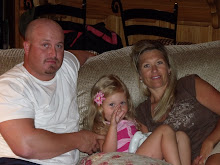
We just moved back to Utah after 3 years in Louisiana. I am a stay at home mom of a crazy 4 yr old. We love being here and living close to family....Never a dull moment around here.


 >
>










2 comments:
Alicia!!!!! What's up? It was so good to hear from you. Emily is beautiful. Little girls are so much fun!! Seriously, blogs are the best. It crazy how many old friends have found us through them. Skip and Suzie were excited to see your blog and asked me to tell you howdy. I'm sure you found Chris' blog from ours. They just had their second. They named him Ridge. He is super cute, but I feel bad because our girls just so beautiful. He's bound to get an inferiority complex :)
You will have to drop in from time to time. I hope you don't mind, but I added you to our friend's list.
Love Ya,
Josh
P.S. I was just telling Michelle how you would get mad at me because I would always just wear my boxers when you were at Skip and Sue's. Ahh...the good ole days.
Alicia,
Here is how you add friends to your blog.
1) Log into your blogger acount
2)Click on layout
3)Then click on "Add a Page Element" (you are going to create a widget which will appear on your blog permanently)
4)A new window will open up with a list of different widget options
5)Select the option "Link List" by clicking "Add to Blog"
6) You then can create the title of the list. Anything you want - Friends, Home Boys, or Josh is the best. Whatever.
7) Don't worry about the number of links
8)You then can select to sort all the links alphabetically or not. Depends on you.
9)Then where it says "New Site URL", you put in the web address (URL) of your friend's blog that you are wanting to add. I usually go to their blogs and then copy their address and just paste it in this box. That way, I don't have to worry about typing it again.
10)You then label the link by typing in the name of your friends.
11) Then click "Add Link"
12) Then click on "Save"
13) You can either close the window or keep adding links.
14)Once the window is closed, you will see your layout of your blog. Just move the box of your friend's links to wherever you want it to appear on your blog.
15) Then click on "Save" on the top right of the webpage.
16) You are all done.
:)
Post a Comment